---
updatedAt: 2026-09-15T08:44:36.000Z
agentTools:
projectIndex: https://studio.talkdesk.com/llms.txt
---
# Escalate Notification
Escalate Notification is a Talkdesk Studio™ component that ends an Automated Notifications flow by handing off the conversation to a live or virtual agent through Digital Connect (DCE). It is commonly used when a customer's reply to an automated notification indicates they need help beyond what the automated flow can resolve — for example, asking an unrelated question, requesting a change the flow can't handle, or explicitly asking for a person.
### Note
Escalate Notification is a terminal component — it does not send a message itself and has no outgoing exits. Once the flow reaches this component, the interaction is transferred to the Digital Connect queue and the Automated Notifications flow ends.
## Availability
Escalate Notification is available to Talkdesk accounts that have Digital Connect provisioned, across all Talkdesk industry clouds (Retail Experience Cloud™, Financial Services, Healthcare, and others) and all supported regions. Unlike Send SMS Notification and Send SMS Notification with Reply, Digital Connect is not automatically provisioned on every account — confirm entitlement and provisioning with your account team before relying on this component in a production flow.
###
When to Use Escalate Notification
Use Escalate Notification in Studio flows where:
* A customer's reply to an automated notification (via Send SMS Notification with Reply) doesn't match any expected keyword, or otherwise indicates the automated flow can't resolve the request.
* The interaction should continue with a live or virtual agent, on the same channel and phone number the customer has already been using, rather than starting a new, disconnected conversation.
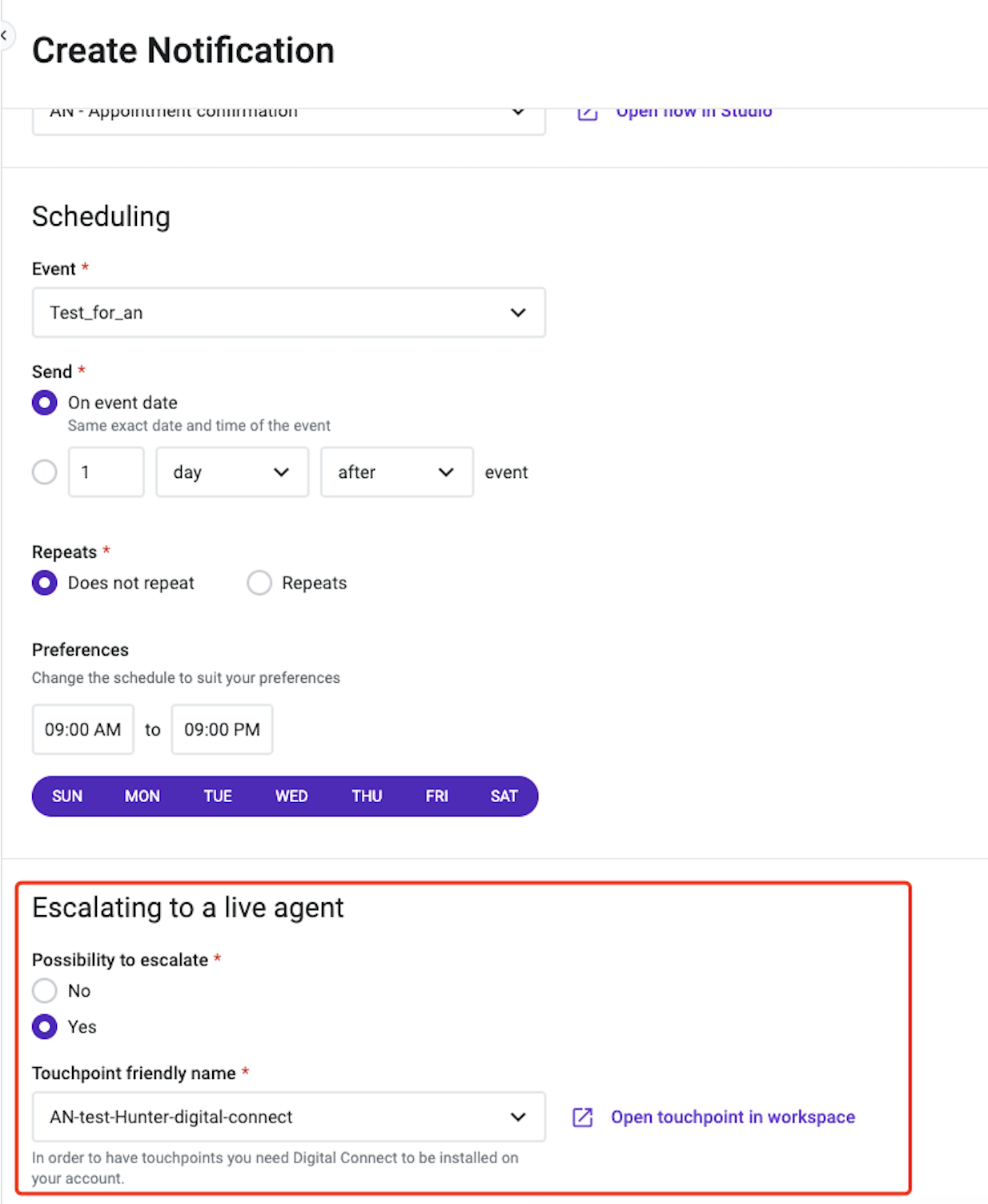
* The admin has decided that the specific Automated Notification this flow belongs to is worth escalating to a live agent (not all Automated Notifications need to support escalation).
## Prerequisites
Before adding Escalate Notification to a flow:
* Confirm Digital Connect is provisioned on the account.
* Associate the relevant Automated Notification touchpoint with a Digital Connect touchpoint/ring group, so escalated conversations are routed to the correct agent queue. This is configured by an administrator, outside of the Studio flow itself.
* Place the component at the point in the flow where escalation should occur — typically connected from a No Match, Timeout, or similar fallback exit of an upstream Send SMS Notification with Reply component.