---
updatedAt: 2026-09-15T09:12:45.000Z
agentTools:
projectIndex: https://studio.talkdesk.com/llms.txt
---
# Send SMS Notification with Reply
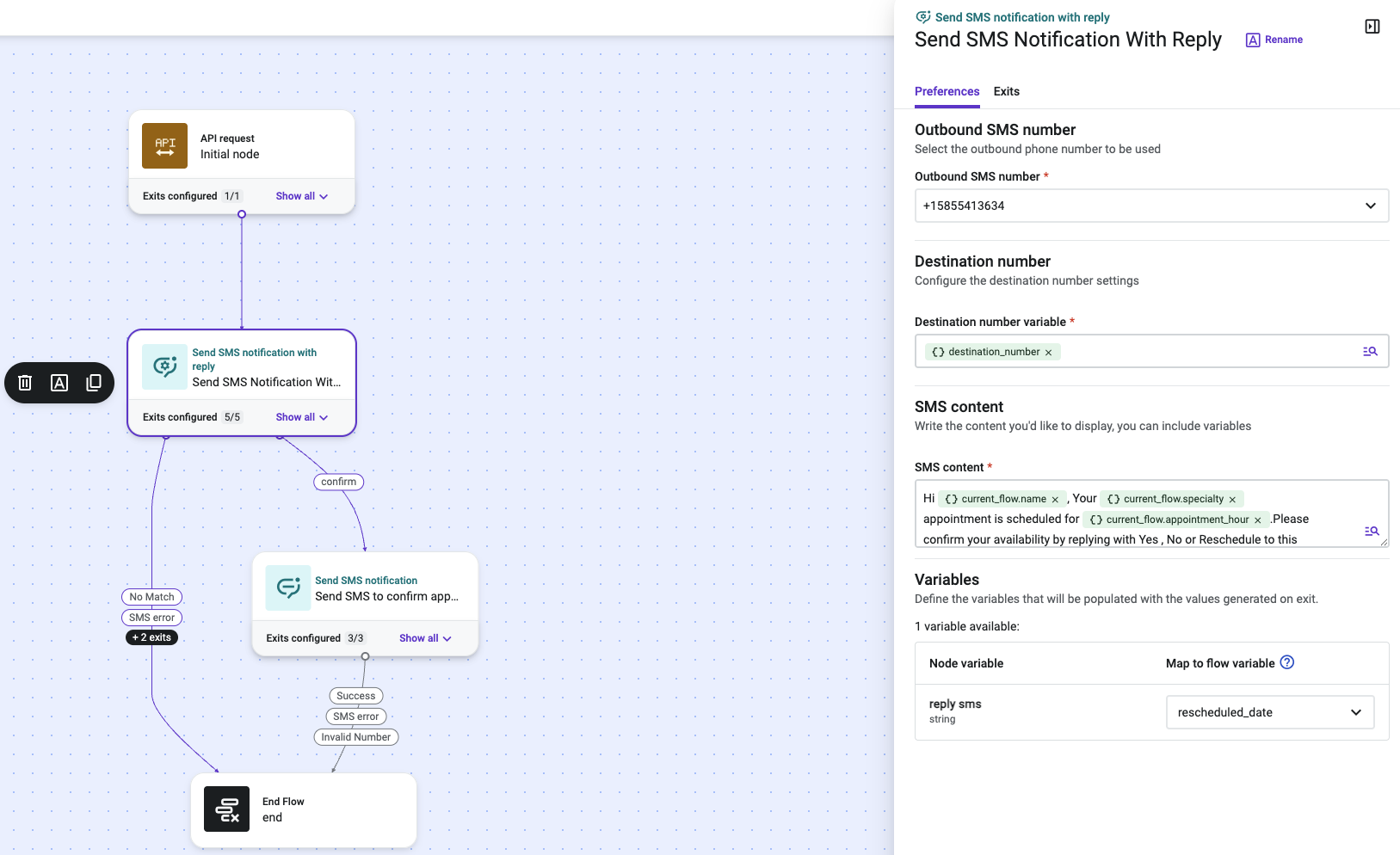
Send SMS Notification with Reply is a Talkdesk Studio™ component that sends an outbound SMS message from a flow and then waits for the customer's reply, routing the flow based on which keyword the reply matches. It is commonly used to turn a one-way automated notification into a simple two-way interaction — for example, confirming an appointment, opting into a callback, or selecting from a short list of options — without requiring a live agent.
### Note
Send SMS Notification with Reply pauses the flow until a reply is received or the configured timeout elapses. If you only need to send a message and do not need a reply, use the Send SMS Notification component instead — it does not wait.
## Availability
Send SMS Notification with Reply is generally available to all Talkdesk accounts, across all Talkdesk industry clouds (Retail Experience Cloud™, Financial Services, Healthcare, and others) and all supported regions. The component behavior is identical across verticals. It is only available in flows triggered via API.
##
When to Use Send SMS Notification with Reply
Use Send SMS Notification with Reply in Studio flows where:
* An external system event should trigger an outbound SMS, and the flow needs to branch based on the customer's reply (e.g. "confirm appointment" vs. "reschedule").
* A short, keyword-based response is enough to resolve the interaction — no live agent is required.
* The flow is triggered via API.
### Note
This component does not run in the same context as an active voice interaction (voice_participant: false) — it is intended for asynchronous, message-based flows.
##
Prerequisites
Before adding Send SMS Notification with Reply to a flow:
* Provision at least one SMS-capable outbound number for Automated Notifications, and confirm it is available under Admin > Numbers. (Unlike Send SMS Notification, this component does not support alpha sender IDs — a reply-capable phone number is required.)
* Ensure the flow has an upstream step that sets a Studio variable containing the destination phone number, if it is not already available in context.
* Decide the set of reply keywords you want to support and the exit each one should route to — you will configure these as Reply Command Exits.