

Preferences
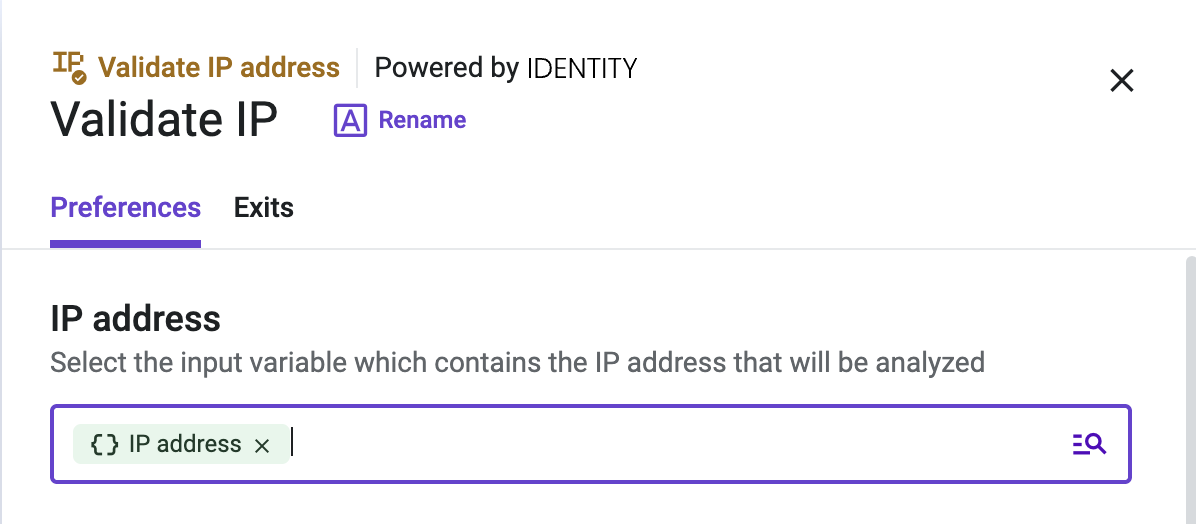
IP address
Configure the variable containing the IP address to be analyzed. Usually, the variable containing the incoming IP address is used as the input variable, but any other variable that contains an IP address can be used.
The source_IP variable can be defined for digital channels in the initial step of the flow.
Variables
The variables shown below can be used to route interactions in Studio. You can use them to fill in the relevant Variables fields, or expose them to agents in the Conversations app context panel.
| Validation Insight | Description | Value Type |
|---|---|---|
| fraud_score | The overall fraud score of the user based on the IP, user agent, language, and any other optionally passed variables. Fraud Scores >= 75 are suspicious, but not necessarily fraudulent. We recommend flagging or blocking traffic with Fraud Scores >= 90, but you may find it beneficial to use a higher or lower threshold. | float |
| country_code | Two character country code of IP address or "N/A" if unknown. | string |
| region | Region (state) of IP address if available or "N/A" if unknown. | string |
| city | City of IP address if available or "N/A" if unknown. | string |
| ISP | ISP if one is known. Otherwise "N/A". | string |
| ASN | Autonomous System Number if one is known. Null if nonexistent. | integer |
| Organization | Organization if one is known. Can be parent company or sub company of the listed ISP. Otherwise "N/A". | string |
| is_crawler | Is this IP associated with being a confirmed crawler from any of the following search engines, based on hostname or IP address verification: Baidu, Google, Bing, Yahoo, Yandex, Sogou, Exabot, DuckDuckGo, Facebook, Twitter, Pinterest, Naver, UptimeRobot, AppleBot, ArchiveBot, CoccocBot, YisouBot, PetalBot, ByteDance, and MailRU. | boolean |
| timezone | Timezone of IP address if available or "N/A" if unknown. | string |
| host | Hostname of the IP address if one is available. | string |
| proxy | Is this IP address suspected to be a proxy? (SOCKS, Elite, Anonymous, VPN, Tor, etc.) | boolean |
| vpn | Is this IP suspected of being a VPN connection? This can include data center ranges which can become active VPNs at any time. The "proxy" status will always be true when this value is true. | boolean |
| tor | Is this IP suspected of being a TOR connection? This can include previously active TOR nodes and exits which can become active TOR exits at any time. The "proxy" status will always be true when this value is true. | boolean |
| active_vpn | Identifies active VPN connections used by popular VPN services and private VPN servers. | boolean |
| active_tor | Identifies active TOR exits on the TOR network. | boolean |
| recent_abuse | This value will indicate if there has been any recently verified abuse across our network for this IP address. Abuse could be a confirmed chargeback, account takeover attack, compromised device, fake application or registration, digital impersonation (stolen user data), bot attack, or similar malicious behavior within the past few days. | boolean |
| bot_status | Indicates if bots or non-human traffic has recently used this IP address to engage in automated fraudulent behavior. Provides stronger confidence that the IP address is suspicious. | boolean |
| connection_type | Classification of the IP address connection type as "Residential", "Corporate", "Education", "Mobile", or "Data Center". | string |
| abuse_velocity | How frequently the IP address is engaging in abuse. Values can be "high", "medium", "low", or "none". Can be used in combination with the Fraud Score to identify bad behavior. | string |
| shared_connection | Designates IP addresses which are likely to have more than a few users active on the IP address at the same time, such as mobile networks, corporate exit points, and similar connections. This can also include libraries, coffee shops, hotel lobbies, dormitories, hospitals and medical centers, company VPNs, etc. | boolean |
| dynamic_connection | Indicates IP addresses with dynamic assignment protocols, which means that a user on this IP address will likely be assigned a different IP address by this provider in the near future. | boolean |
| frequent_abuser | Identifies IP addresses with a consistent history of abusive behavior across 6 months or more. This data point can be helpful in identifying anonymous IP addresses which are frequently used for malicious behavior, compared to an IP address that may be briefly compromised by malware and only temporarily active in a botnet or residential proxy network. | boolean |
| high_risk_attacks | Confirms if this IP address has engaged in malicious abuse such as phishing, brute forcing, DDoS, credential stuffing & account takeover, scraping, form submission spam, and similar attacks. This data point has a high correlation with anonymous proxies, open proxies, public VPNs, and easily accessible anonymizers. | boolean |
| security_scanner | Indicates a verified online security scanner or endpoint by a trusted security vendor such as Tenable, Qualys, and similar providers. | boolean |
| trusted_network | Identifies company networks and corporate access points which have low abuse rates and high security protocols. IP addresses on these networks may still be compromised by malware, however the network overall will be considered trusted if this value is true. | boolean |
| zip_code | Postal code of IP address if available or "N/A" if unknown. | string |
| latitude | Latitude of IP address if available or null if unknown. | float |
| longitude | Longitude of IP address if available or null if unknown. | float |
Updated about 2 months ago