

Get Voice Feedback
With the Talkdesk Get Voice Feedback component, you can trigger an IVR feedback flow by sending an IVR survey to the contact after the call ends or after a successful Autopilot exit.
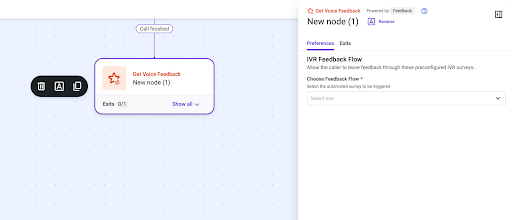
Following the “Assignment and Dial” or “Connect to Autopilot Voice“ component, add the "Get Voice Feedback" component to the flow. Access the Preferences and Exits tabs to configure it.
Ensure the Feedback component is connected directly downstream of the Call finished exit. This guarantees that the feedback/survey flow is triggered immediately after the call ends.
Updated 1 day ago