

Outgoing Call
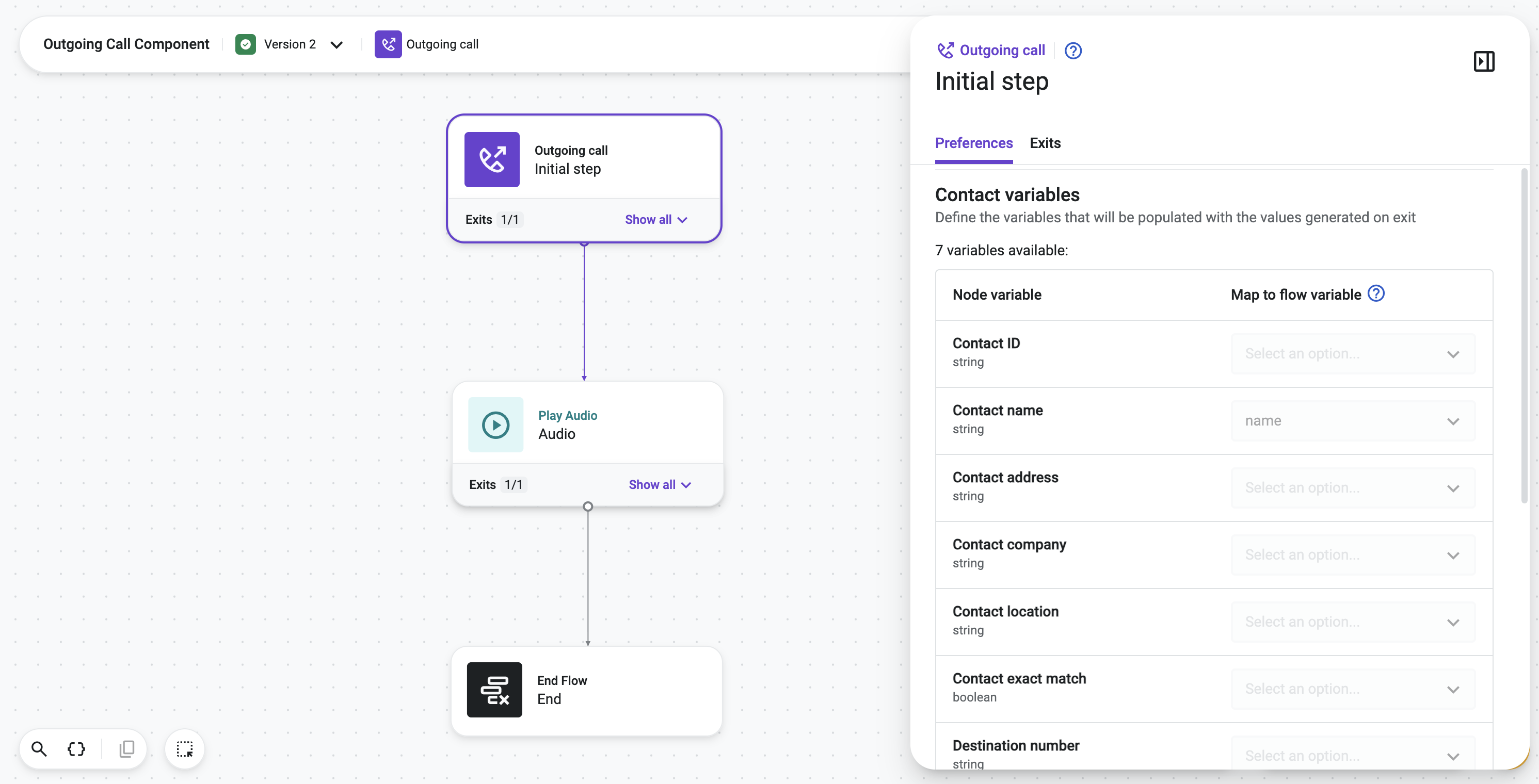
The Outgoing Call component is the initial component for outgoing call flow definitions. It triggers automatically whenever a manual outbound call placed from the Conversations app is answered by the contact person, and lets a flow run before the agent who placed the call is connected to that person. It is not triggered by Talkdesk Dialer outbound calls.
This makes it possible to handle anything that needs to happen at the very start of an outbound conversation: playing a compliance announcement, collecting the contact person's consent to being recorded, or branching the flow based on the destination number or the agent's ring group, among other use cases. For example, an agent at a bank places an outbound call; once the contact person answers, the Outgoing Call component triggers a flow that plays a terms-and-conditions prompt and requires the person's explicit acceptance before the agent is connected to the conversation.
While the flow runs, the agent who placed the call waits in line: the conversation status shows as "On a call IVR," and the agent hears a periodic tone until the flow ends. Once the flow completes and the contact person is connected to the agent, the status changes to "Talking" and the conversation begins. Call recording only starts once the contact person is connected to the agent, any IVR or consent segment that runs beforehand is not recorded.
Because the agent is already waiting to be connected, components that perform assignment or post-call actions (such as Virtual Agent) are not supported within an Outgoing Flow.
Note: For a use case example, see "Compliance Call Recording" in this article.
Setting the Flow as the Account Default
Only one outbound flow can be active at a time for an account. It is not possible to assign different outgoing flows to different agents or groups of agents — once an outgoing flow is set, it applies to all manual outgoing calls across the account. Once the Outgoing Call flow is published in Studio, an administrator sets it as the account default from the Voice Channel settings. For instructions, see "Channels: Voice Channel Settings".
Updated 23 days ago