

Exits
Switch Contact exposes three exits. All three must be connected to a downstream component in your flow.
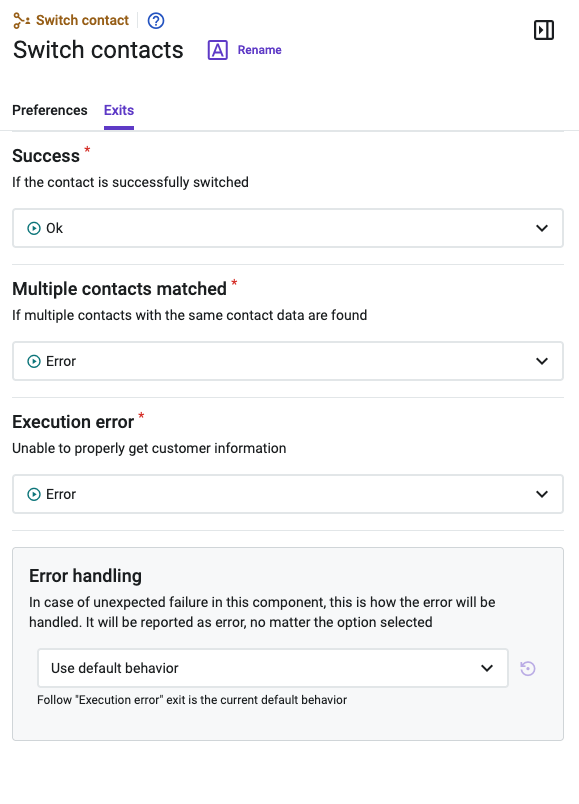
Exits
| Exit | When It Triggers | Recommended Action |
|---|---|---|
| Success | The contact record was successfully resolved and unified against the external customer identity. The correct profile is now associated with the active interaction. | Assign to a live agent; the agent no longer needs to reconfirm the contact. |
| Multiple contacts matched | More than one contact record matches the provided contact data. The component cannot resolve to a single identity. | Assign to a live agent; allowing the agent to select a contact within the workspace. |
| Execution error | An error occurred during the contact update or switch process — for example, an API failure or an invalid input value at runtime. | Assign to a live agent; allowing the agent to select a contact within the workspace. |
ImportantAll three exits must be connected. Leaving an exit unconnected results in unpredictable flow behavior. The interaction is not dropped on a non-Success exit — it continues with the original contact record unless you explicitly end the flow.
Error Handling
Use the Error Handling section in the component panel to define behavior for unexpected failures during execution. This setting applies in addition to the Execution error exit. For full documentation, refer to the Error Handling article in the Talkdesk Studio™ documentation.
How Switch Contact Works
When the component executes, it calls the Talkdesk contact synchronization service using the three inputs provided. The service resolves the active interaction's contact record against the verified external identity — merging or updating the record as needed. From this point forward in the interaction lifecycle, the correct customer profile is used for:
- Agent workspace context — including Talkdesk Copilot™ real-time assist cards.
- Analytics and reporting attribution in Talkdesk Explore™.
- Downstream automation logic in Talkdesk Autopilot™.
- Post-interaction CRM synchronization.
ImportantSwitch Contact does not delete duplicate contact records. It associates the current interaction with the correct identity. Duplicate record cleanup is handled separately by your contact management configuration.
Typical Flow Pattern
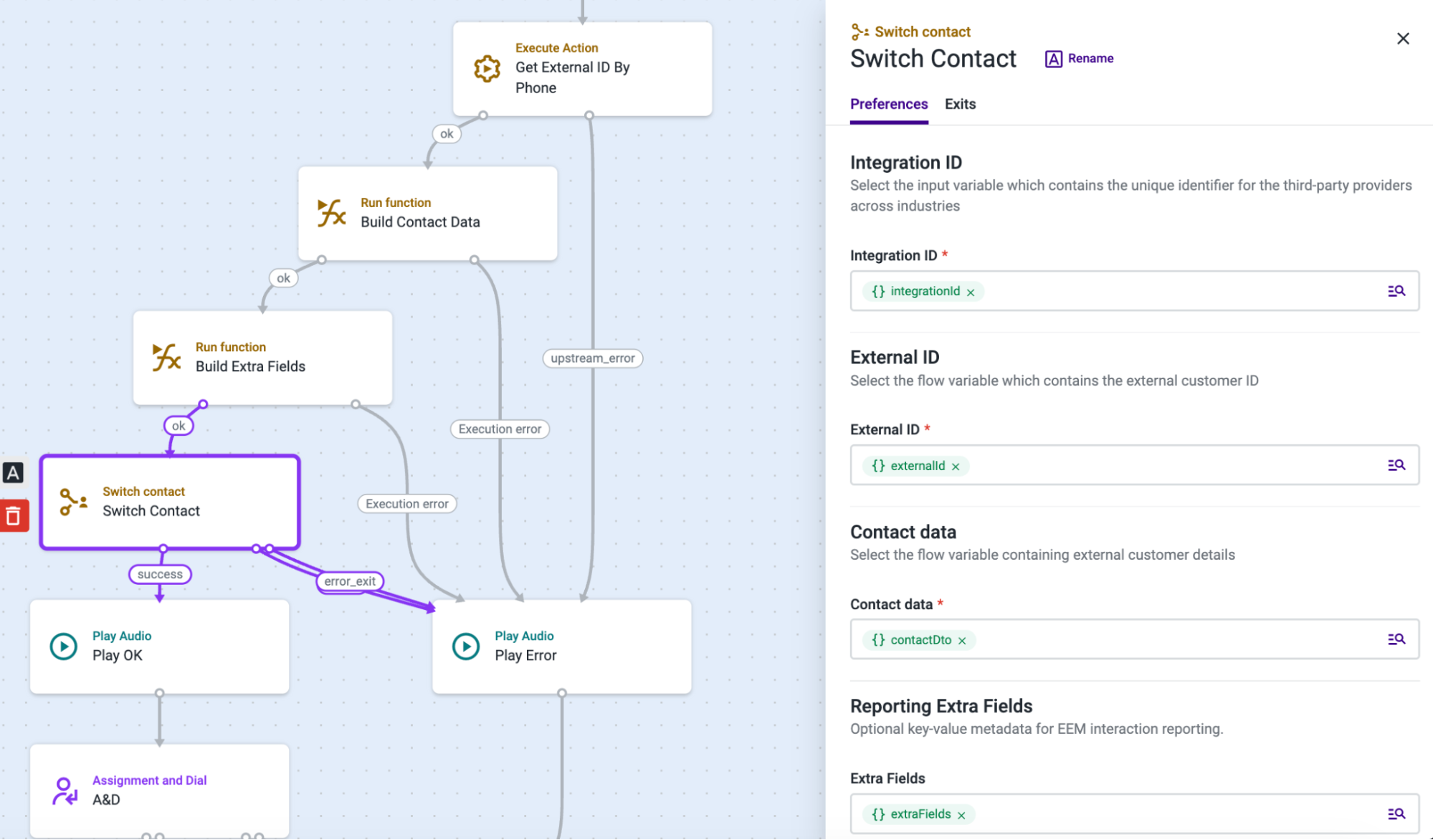
Switch Contact requires all three inputs to be set by upstream components. The standard pattern is:
- Call the Contact Lookup API using an Execute Action component, passing the caller's phone number (and brand identifier, if applicable).
- Parse the raw API response using a Run Function component. Extract integrationId, externalId, and contactData into Studio variables.
- Use a Conditional Statement component to verify all three variables are non-empty. Route empty-result cases to a Hangup / End Flow component.
- Add Switch Contact and map the three variables to the corresponding input fields.
- Connect all three exits: Success to your next flow step, Multiple contacts matched and Execution error to appropriate fallback components.
Updated 4 days ago