

Switch Contact
Switch Contact is a Talkdesk Studio™ component that resolves contact identity during an active interaction. When a customer reaches your contact center from a phone number that does not match an existing record, or uses multiple numbers that have created duplicate records, Switch Contact unifies the interaction against a verified external customer ID. The correct customer profile, history, and data are associated with the interaction from that point forward.
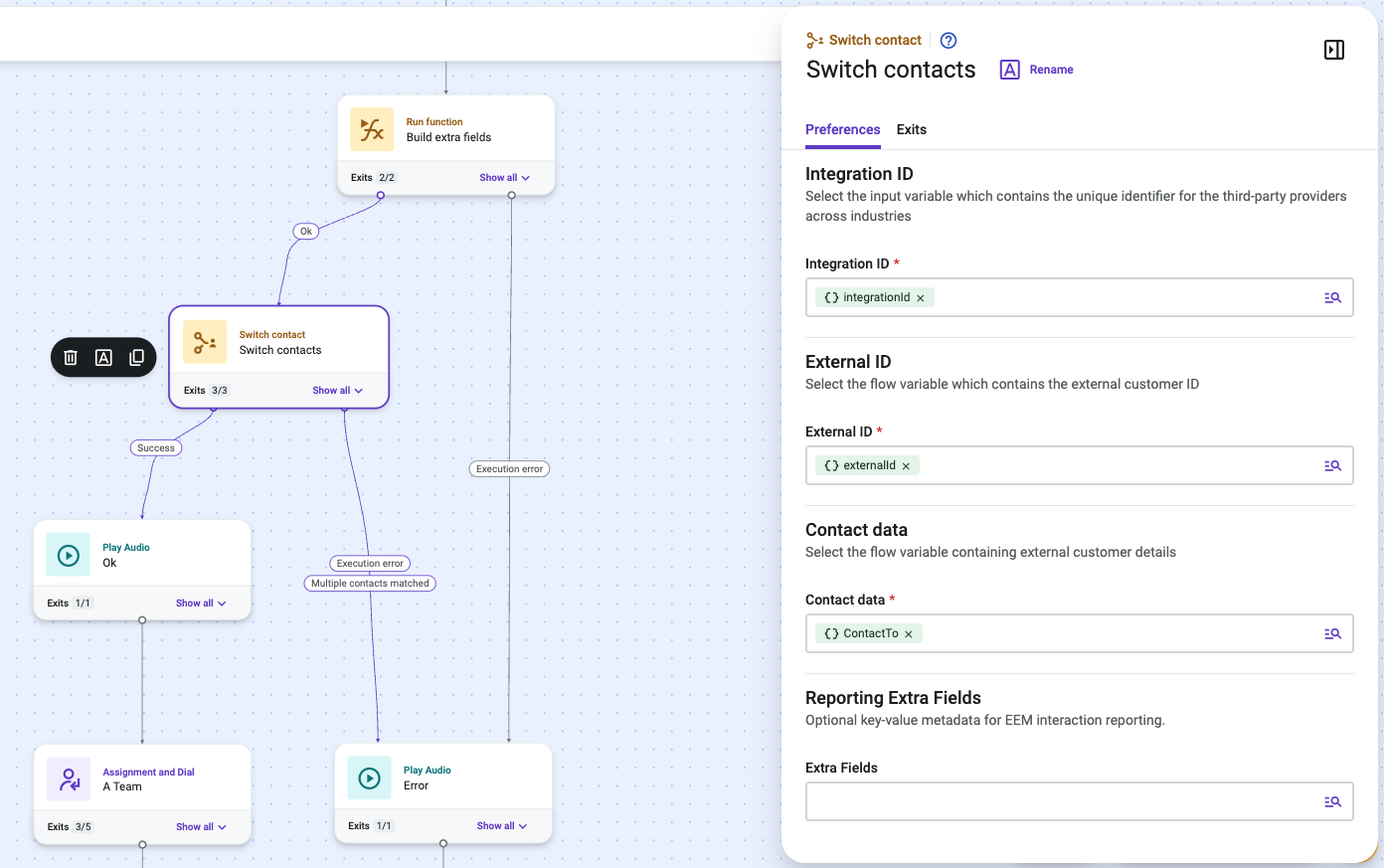
Switch Contact can also pass reporting metadata with the contact switch. When reporting attribution depends on this metadata, use the Reporting Extra Fields preference to send a flat key-value map prepared earlier in the flow.
NoteSwitch Contact performs contact identity resolution. It does not route or transfer a contact to a different queue, ring group, or flow. To redirect contacts between destinations, use the Assignment and Dial or Forward to External Number components.
Availability
Switch Contact is available across all Talkdesk industry clouds, including Talkdesk Retail Experience Cloud™, Financial Services, and Healthcare. The component behavior is identical across verticals.
When to Use Switch Contact
Use Switch Contact in Studio flows where:
- There is a need to sync external contacts to Talkdesk contacts.
- The current live interaction needs to be switched to a specific external contact.
- Reporting metadata needs to be passed with the contact switch so downstream reporting can attribute the interaction to the correct resolved contact and external identity.
Prerequisites
Before adding Switch Contact to a flow:
- Configure the external Contact Lookup API as a Custom Integration in Builder > Integrations. The specific API endpoint varies by vertical.
- Ensure the flow has an upstream step — typically a Run Function component — that extracts integrationId, externalId, and contactData from the Contact Lookup API response.
- If reporting metadata is required, enable the Reporting Extra Fields preference for the account and prepare a Studio variable containing the reporting metadata before the Switch Contact step.
Updated 4 days ago