

Escalate Notification
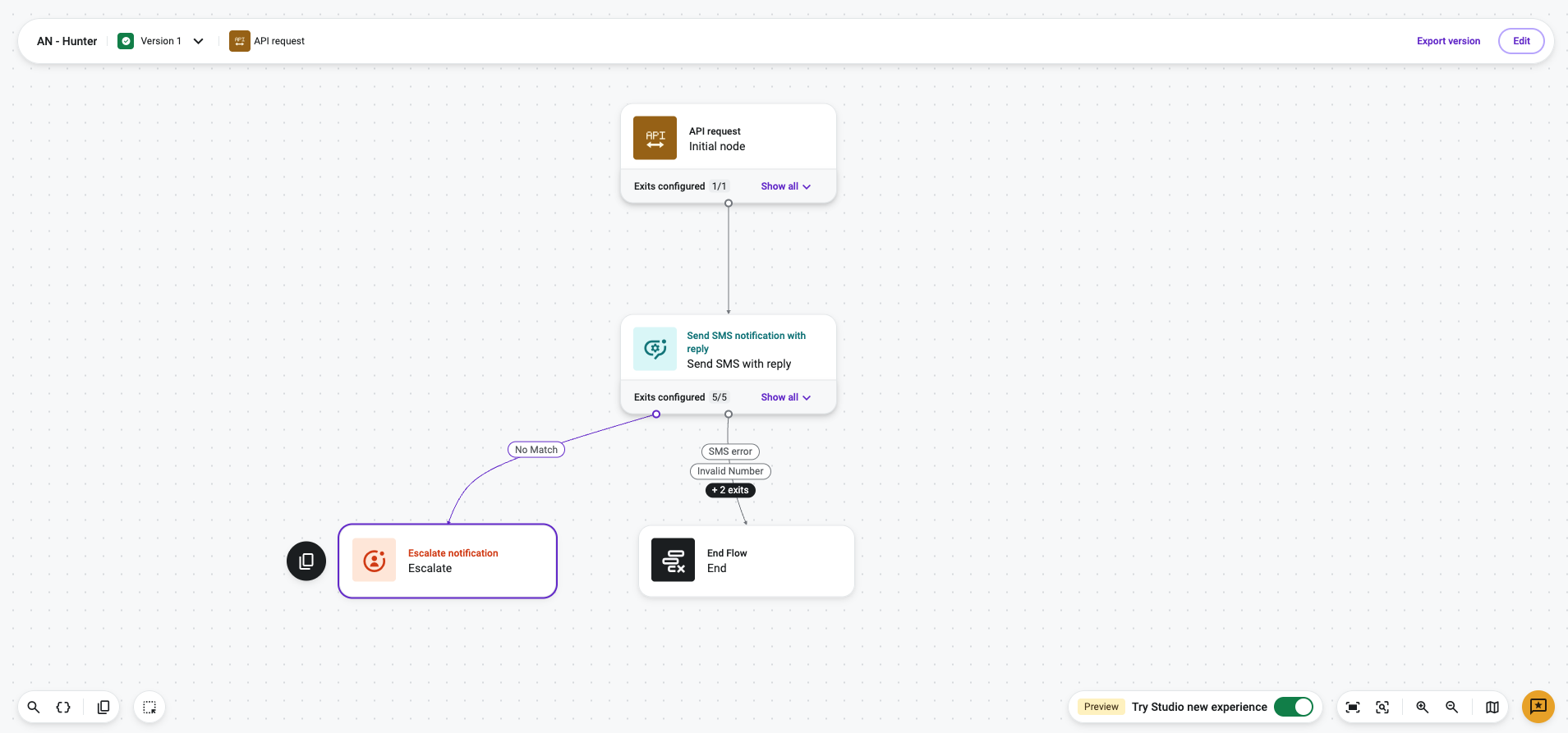
Escalate Notification is a Talkdesk Studio™ component that ends an Automated Notifications flow by handing off the conversation to a live or virtual agent through Digital Connect (DCE). It is commonly used when a customer's reply to an automated notification indicates they need help beyond what the automated flow can resolve — for example, asking an unrelated question, requesting a change the flow can't handle, or explicitly asking for a person.
NoteEscalate Notification is a terminal component — it does not send a message itself and has no outgoing exits. Once the flow reaches this component, the interaction is transferred to the Digital Connect queue and the Automated Notifications flow ends.
Availability
Escalate Notification is available to Talkdesk accounts that have Digital Connect provisioned, across all Talkdesk industry clouds (Retail Experience Cloud™, Financial Services, Healthcare, and others) and all supported regions. Unlike Send SMS Notification and Send SMS Notification with Reply, Digital Connect is not automatically provisioned on every account — confirm entitlement and provisioning with your account team before relying on this component in a production flow.
When to Use Escalate Notification
When to Use Escalate Notification
Use Escalate Notification in Studio flows where:
- A customer's reply to an automated notification (via Send SMS Notification with Reply) doesn't match any expected keyword, or otherwise indicates the automated flow can't resolve the request.
- The interaction should continue with a live or virtual agent, on the same channel and phone number the customer has already been using, rather than starting a new, disconnected conversation.
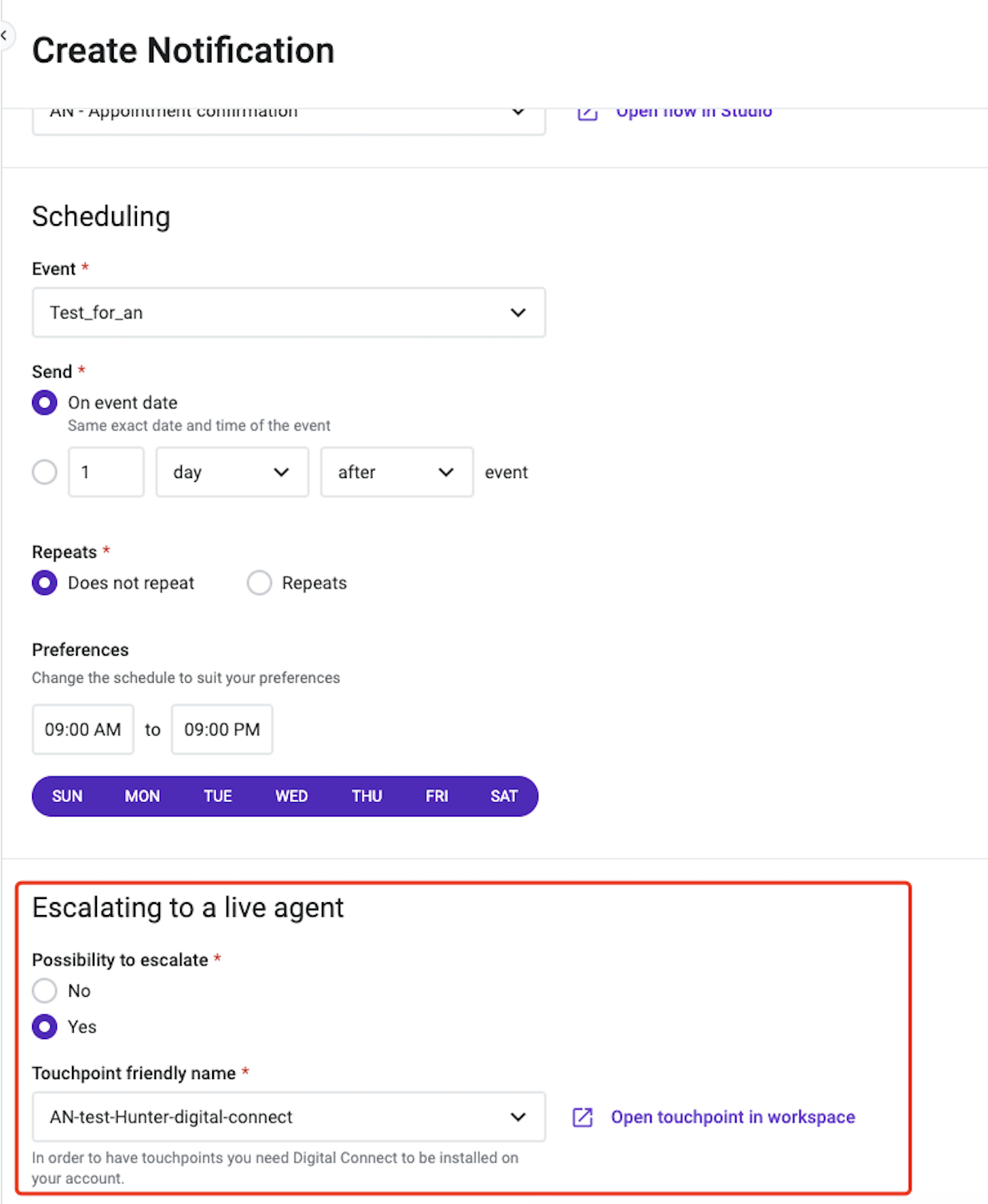
- The admin has decided that the specific Automated Notification this flow belongs to is worth escalating to a live agent (not all Automated Notifications need to support escalation).
Prerequisites
Before adding Escalate Notification to a flow:
-
Confirm Digital Connect is provisioned on the account.
-
Associate the relevant Automated Notification touchpoint with a Digital Connect touchpoint/ring group, so escalated conversations are routed to the correct agent queue. This is configured by an administrator, outside of the Studio flow itself.
-
Place the component at the point in the flow where escalation should occur — typically connected from a No Match, Timeout, or similar fallback exit of an upstream Send SMS Notification with Reply component.
Updated about 1 month ago