

Send SMS Notification with Reply
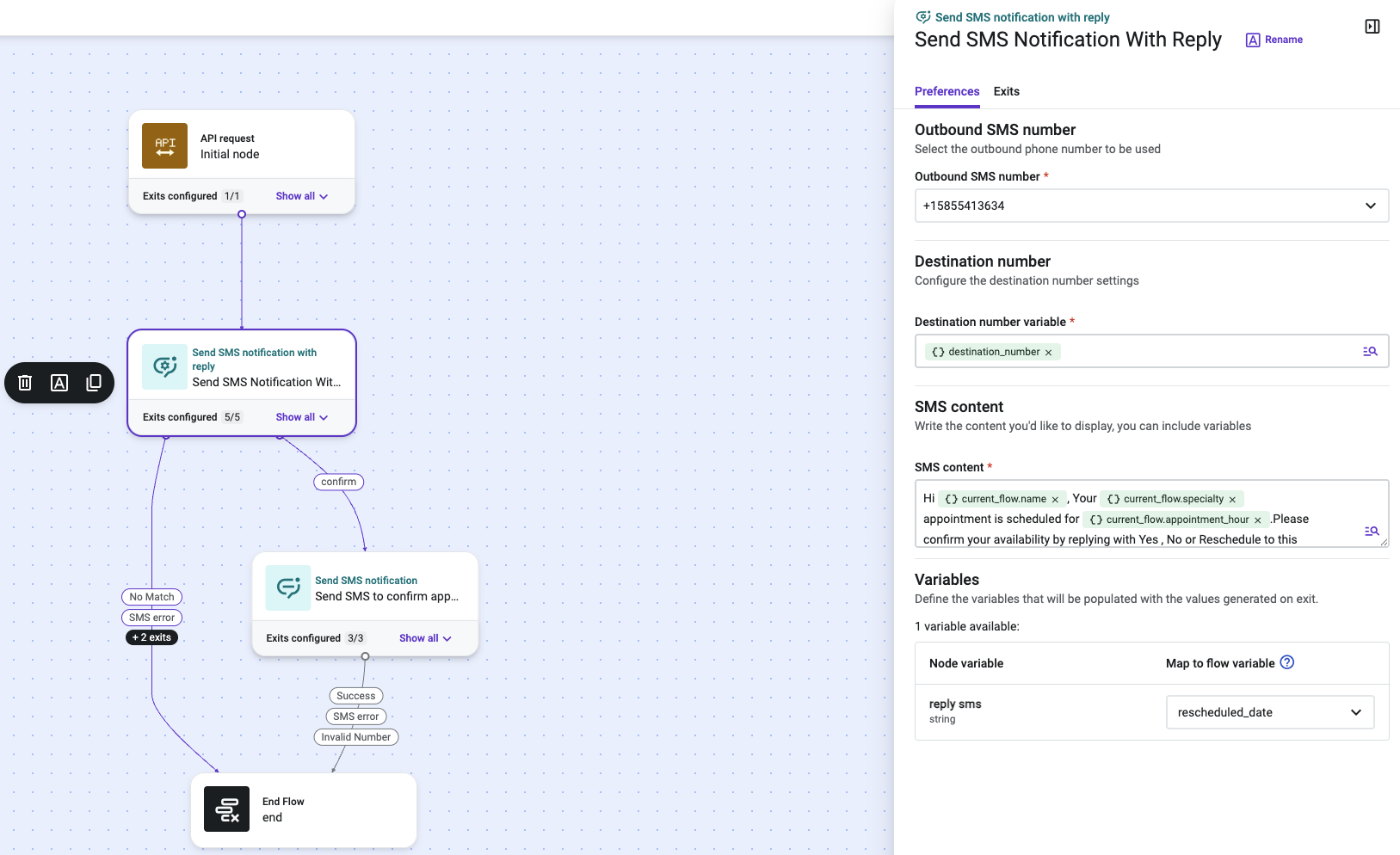
Send SMS Notification with Reply is a Talkdesk Studio™ component that sends an outbound SMS message from a flow and then waits for the customer's reply, routing the flow based on which keyword the reply matches. It is commonly used to turn a one-way automated notification into a simple two-way interaction — for example, confirming an appointment, opting into a callback, or selecting from a short list of options — without requiring a live agent.
NoteSend SMS Notification with Reply pauses the flow until a reply is received or the configured timeout elapses. If you only need to send a message and do not need a reply, use the Send SMS Notification component instead — it does not wait.
Availability
Send SMS Notification with Reply is generally available to all Talkdesk accounts, across all Talkdesk industry clouds (Retail Experience Cloud™, Financial Services, Healthcare, and others) and all supported regions. The component behavior is identical across verticals. It is only available in flows triggered via API.
When to Use Send SMS Notification with Reply
When to Use Send SMS Notification with Reply
Use Send SMS Notification with Reply in Studio flows where:
- An external system event should trigger an outbound SMS, and the flow needs to branch based on the customer's reply (e.g. "confirm appointment" vs. "reschedule").
- A short, keyword-based response is enough to resolve the interaction — no live agent is required.
- The flow is triggered via API.
NoteThis component does not run in the same context as an active voice interaction (voice_participant: false) — it is intended for asynchronous, message-based flows.
Prerequisites
Prerequisites
Before adding Send SMS Notification with Reply to a flow:
- Provision at least one SMS-capable outbound number for Automated Notifications, and confirm it is available under Admin > Numbers. (Unlike Send SMS Notification, this component does not support alpha sender IDs — a reply-capable phone number is required.)
- Ensure the flow has an upstream step that sets a Studio variable containing the destination phone number, if it is not already available in context.
- Decide the set of reply keywords you want to support and the exit each one should route to — you will configure these as Reply Command Exits.
Updated about 1 month ago