

Transfer to Flow
The Transfer to Flow node hands off a live call from one Studio voice flow to another Studio voice flow, automatically and without an agent.
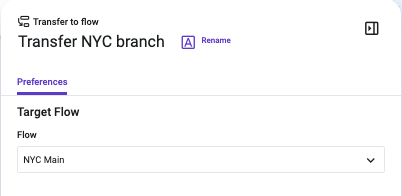
When to Use It
When the call reaches the node, Talkdesk starts the destination flow on the same call. The original flow ends, and the destination flow continues the call from that point. The transfer occurs entirely inside Talkdesk (on-net).
Key Features
Transfer to Flow provides the following capabilities:
- No agent required: The transfer is triggered by the flow logic alone.
- No telephony network leg: The call does not leave Talkdesk and does not re-enter through a phone number, so callers do not hear any interruption.
- Same interaction: Both flows share the same interaction ID, so the call is reported as a single interaction.
- Shared context: Flow variables that are configured for sharing are available in the destination flow. See "Sharing Context with the Destination Flow" section.
- One-way: The original flow does not resume after the call is transferred.
Use Cases
Transfer to Flow applies in the following scenarios:
- Handing off a call between flows: Transfer to Flow is used when a flow has finished its part of the call, and the call continues in a different flow. For example, a main Interactive Voice Response (IVR) menu asks callers to press 1 for Sales or 2 for Support. When a caller presses 2, Transfer to Flow sends the call to a dedicated Support flow that has its own IVR, queue routing, and business hours logic.
- Reusing a destination flow: The same destination flow can be reused from several entry flows.
Prerequisites
The following requirements apply:
- Voice flows only: The component can only be used in voice flows, after the Incoming Call component, because it needs an active call.
- Destination flow: The destination must be a published inbound voice flow that the Studio user can access. Module, Application Programming Interface (API), digital, and outbound flows are not valid destinations.
- No self-transferring: A flow cannot transfer to itself.
Sharing Context with the Destination Flow
Variables are not shared automatically. For a variable to be available in the destination flow, all of the following conditions must be met:
- In the original flow, the variable is set to be used in transfers (Use in transfers enabled).
- In the destination flow, the Incoming Call component has context mappings configured.
- In the destination flow, the shared value is mapped to a flow variable.
NoteIf any of these conditions is not met, the variable is not available in the destination flow, and no error is shown.
For instructions, see Enable Studio Context to be Shared between Flows (Voice) in this article.
Recording and Reporting
Recording and reporting behave as follows:
- Recording: Call recording continues across the transfer because it applies to the call as a whole. Flow-level recording settings are not retained, so recording must be configured in the destination flow when it is needed there.
- Reporting: Because both flows share one interaction, the call is counted once. Total call duration is measured from the start of the original call until the end of the final flow.
Updated about 20 hours ago