

Exits
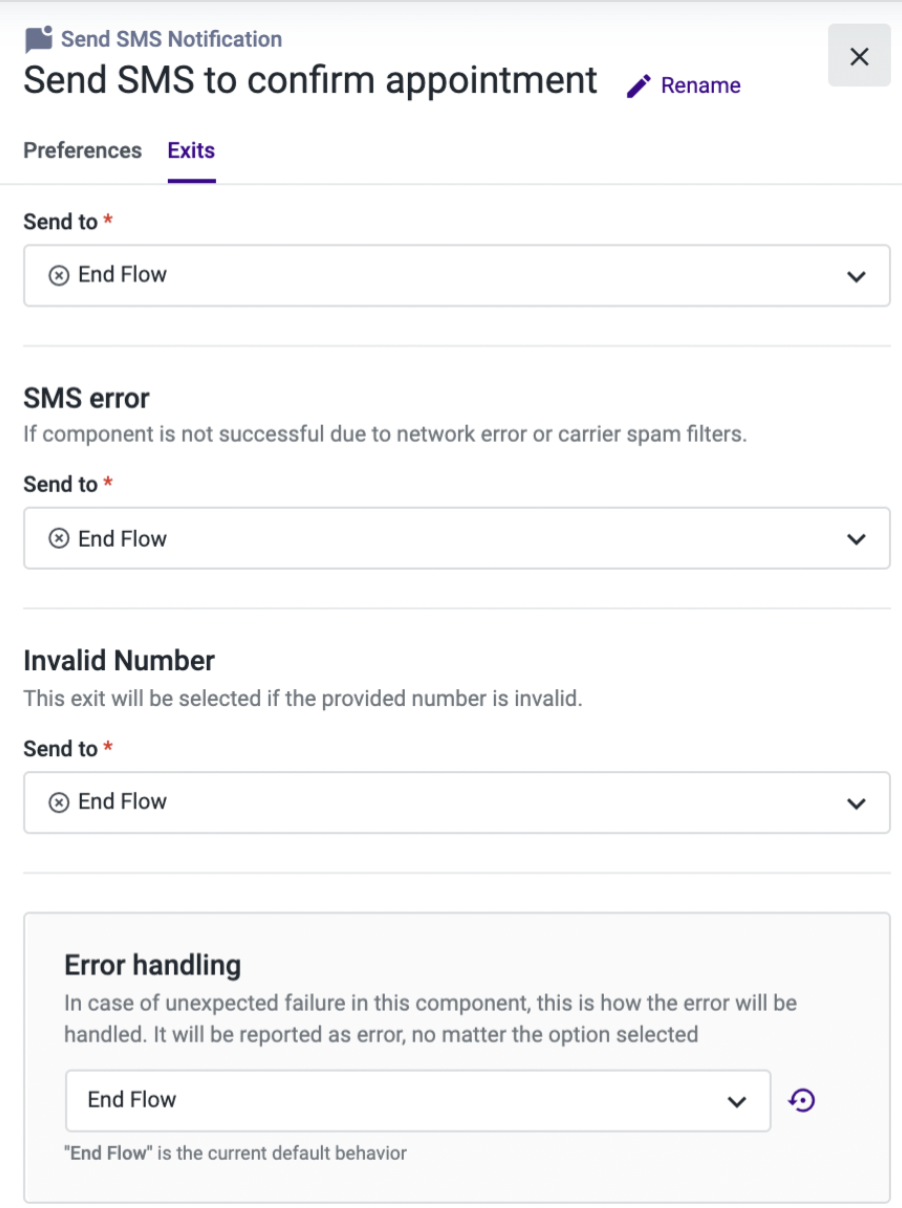
The Exits tab enables you to route the call to new or pre-configured components depending on the following scenarios:
Success: Select where to route the call if the notification was sent and received successfully. At this point, this type of notification should be unidirectional, so we consider that the flow can be terminated by adding an “End flow” component.
SMS Error: Select a component that will be executed in case of an error, such as a network issue. In our example, we have decided to use the “End flow” component, which will terminate the flow if the notification sent through our API request cannot reach the destination phone number.
Invalid Number: Choose where to route the call if the destination number is invalid. This will happen if the external device is switched off, has no reception, if the number is deactivated, or is in the wrong format.
Error Handling: This section is available in most Studio components. You can use it to define the behavior for unexpected failure during the execution of a component. For more information on this section, please refer to the "Error handling" documentation.
Updated about 1 month ago