
Preferences
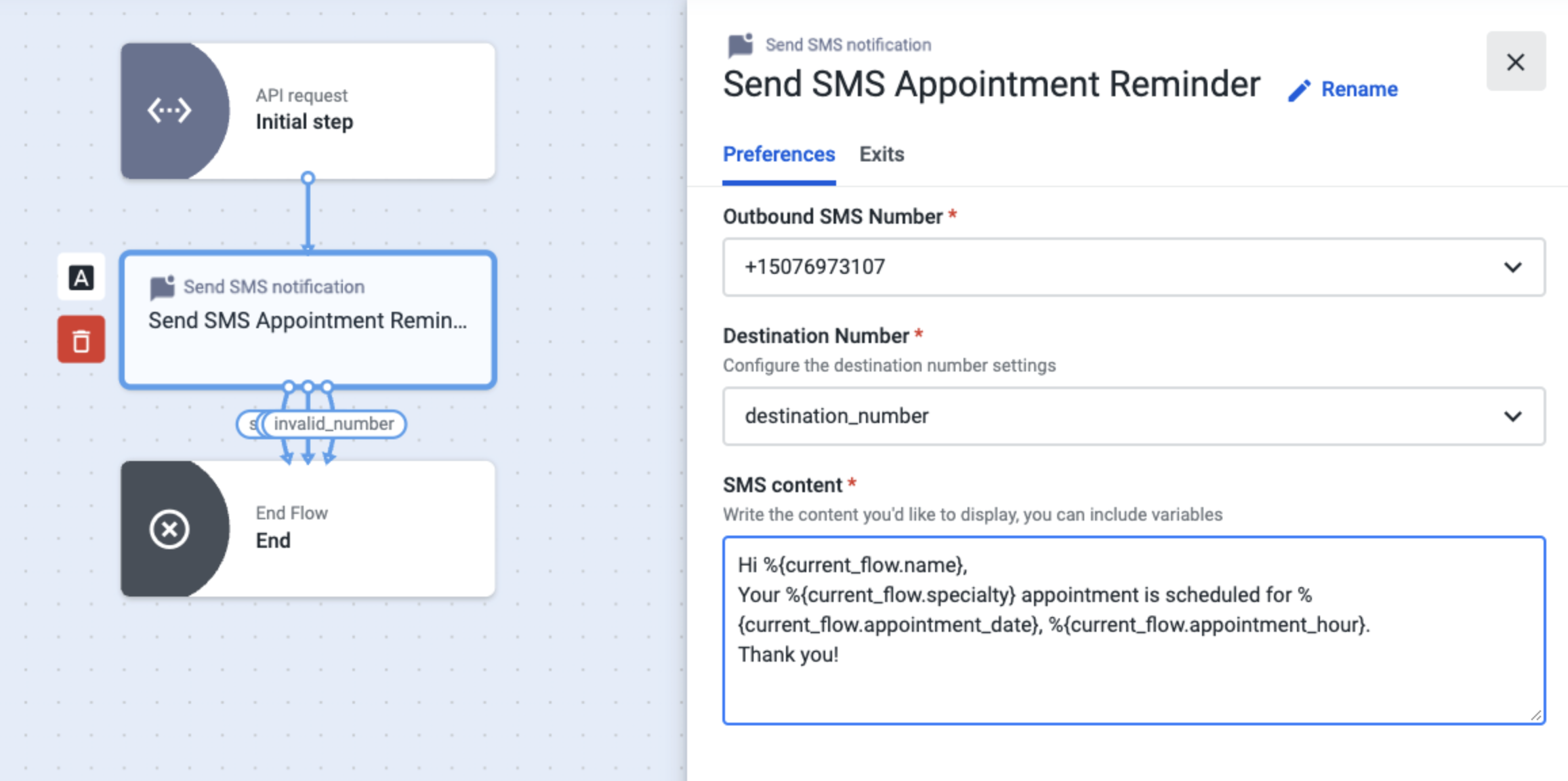
Outbound SMS Number: Select a source phone number from the list, from which the trigger will be executed. The available phone numbers correspond to those that have been specifically provisioned by Talkdesk for this purpose and added to your Talkdesk account under Admin > Numbers.
Destination Number: Select the destination number variable, which, in our example, corresponds to the variable we have configured in the API Request step - destination_number. This variable will retrieve the phone number information within the body of the API request.
SMS content: Type the text to be sent to the patient in the SMS. You can use variables to capture the data contained in your CRM or EHR, as seen in the example above.
Updated about 1 month ago